 Gigapurge
Caches
Temporary files apps download or build, and recreate when needed.

Big space back. Nothing lost.
A Mac cleaner that shows its proof before anything moves, and lets you put anything back.
macOS 14 or later · Apple silicon and Intel · Scanning is free
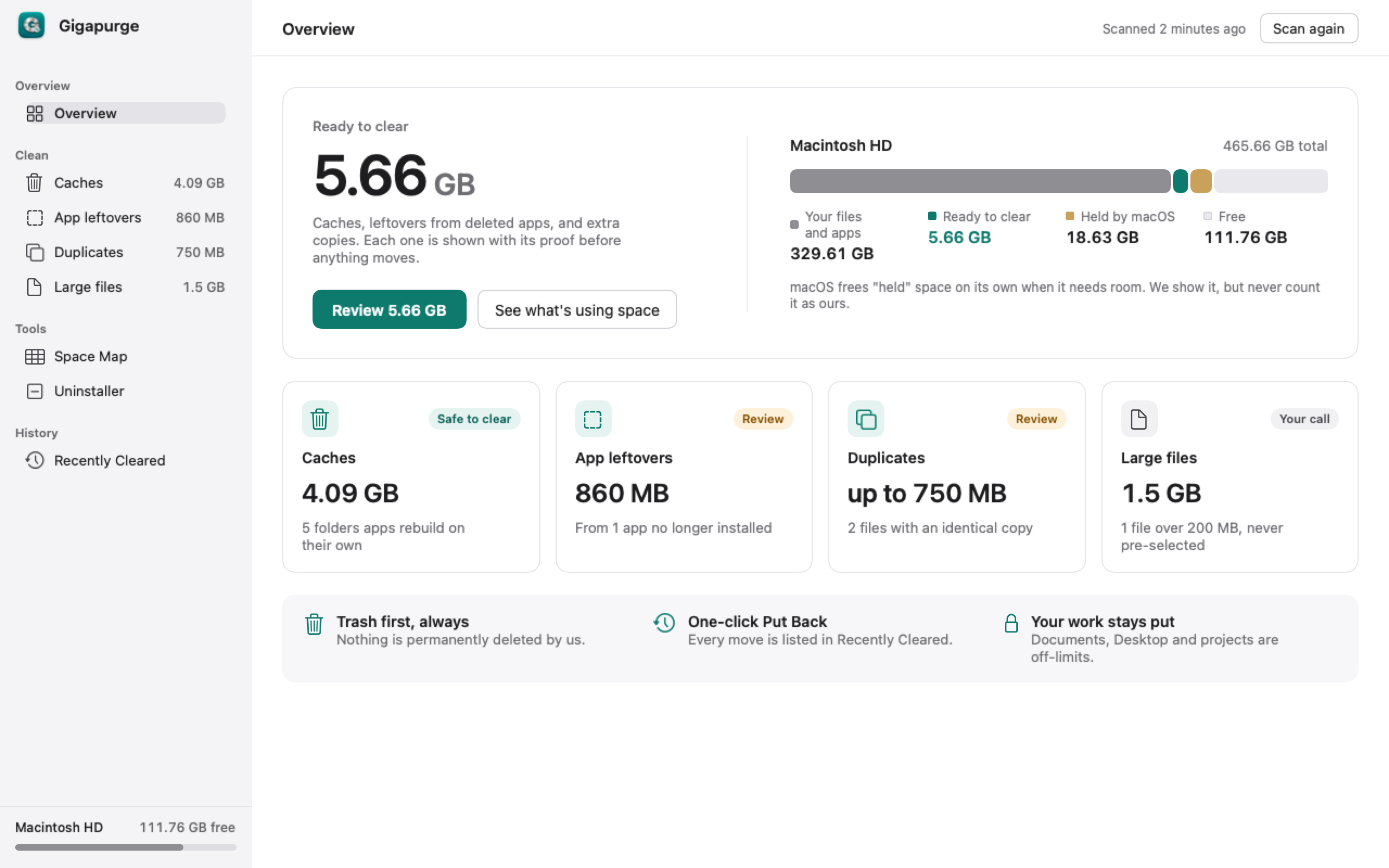
The same four groups you see in the app. Large files and leftovers start unselected.
Temporary files apps download or build, and recreate when needed.
Left behind by an app that is no longer installed.
Extra copies. Savings are “up to”, because one copy stays.
Files over 200 MB. Nothing is selected until you choose it.
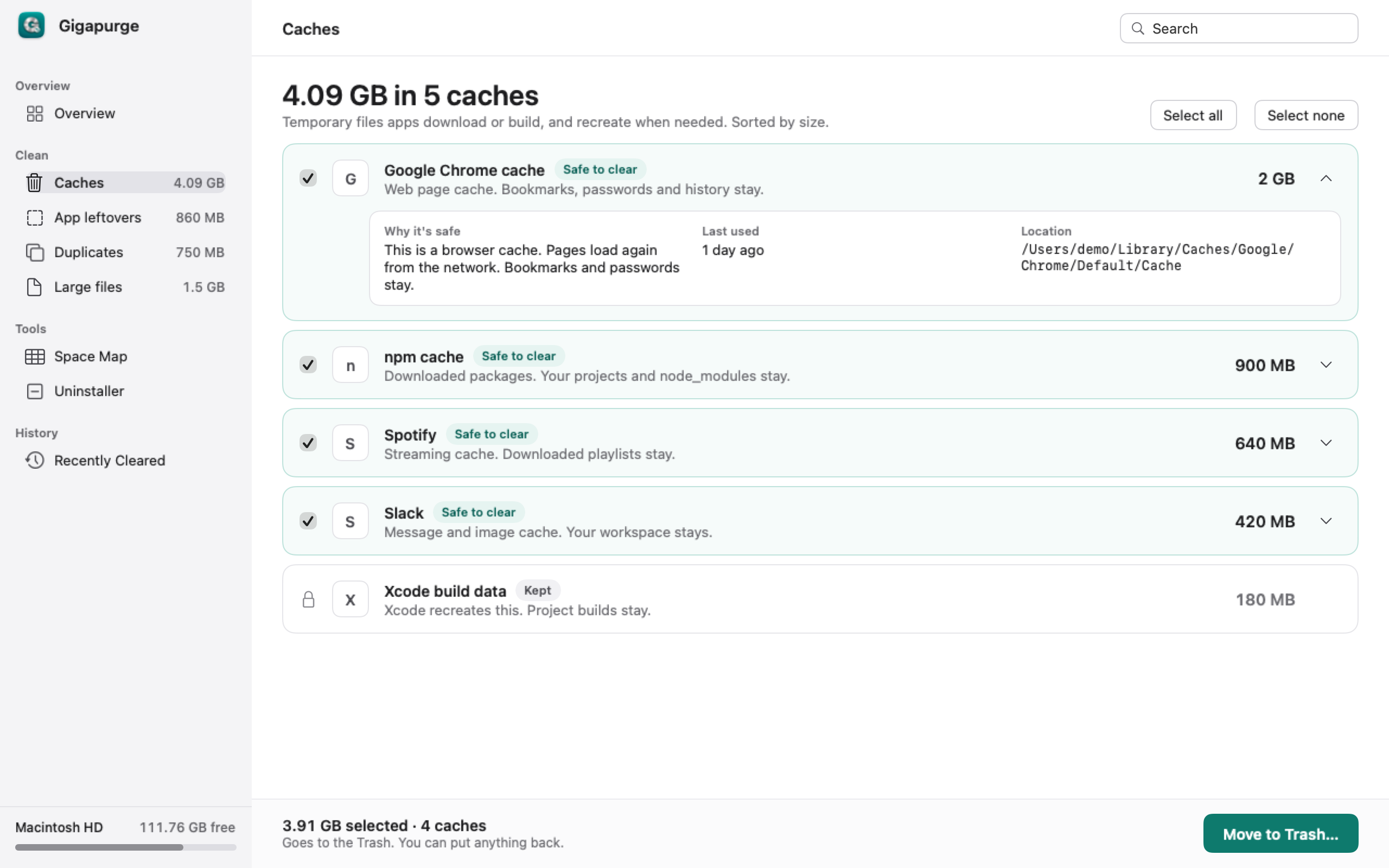
Open a row. The proof is three facts, not a score.
Every move goes to the Trash and is listed. One click puts it back.
Space comes back when you empty the Trash. Gigapurge never empties it for you.
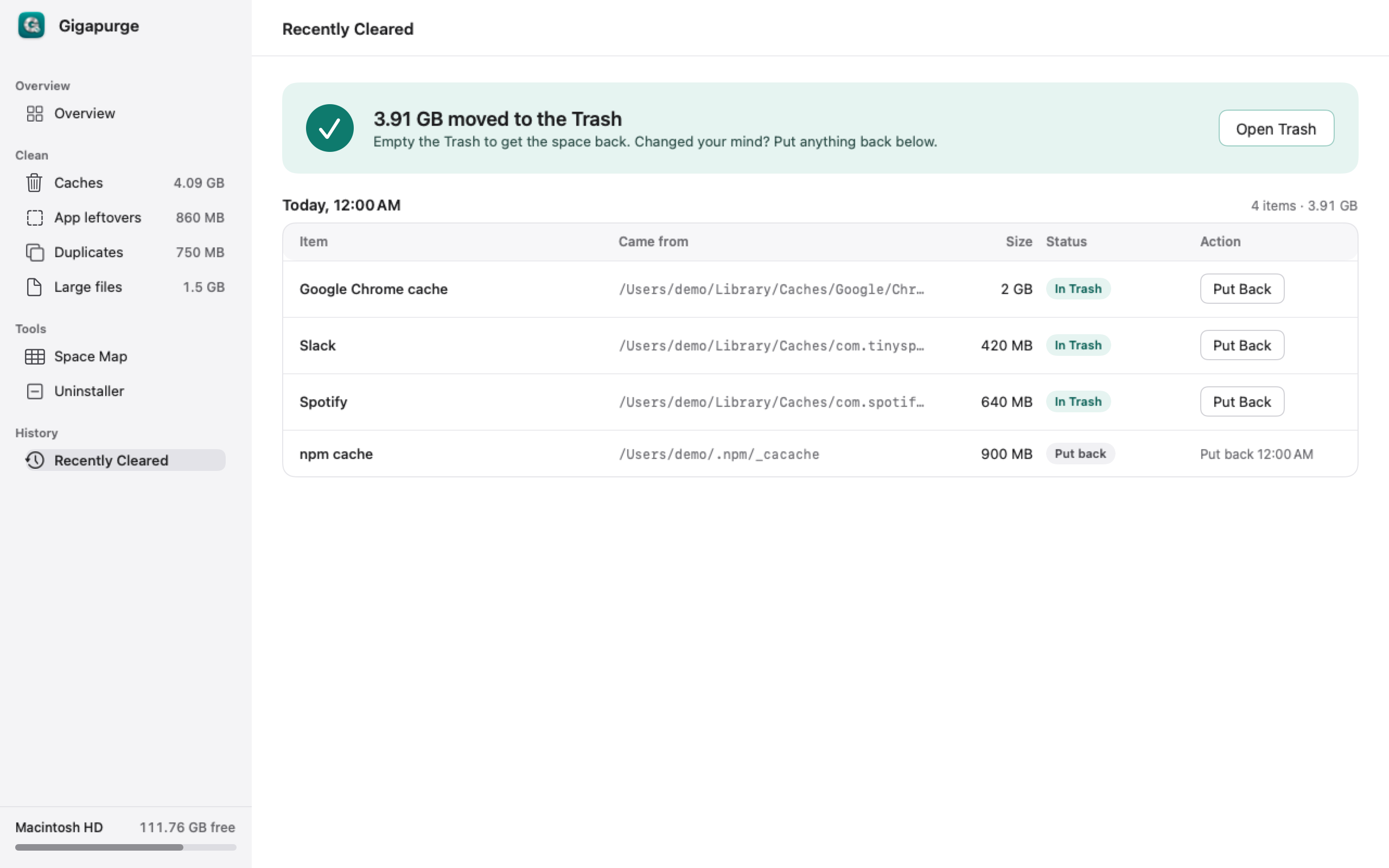
Nothing is permanently deleted. You empty the Trash yourself.
It shows the sizes it measured. It does not invent problems to push a purchase.
Documents, the Desktop, and projects are off-limits.
No analytics. File names and file contents stay on this Mac.
$29.99 once. Scanning, review, Space Map, and Put Back stay free.
$29.99 once. Use it on up to 3 Macs. Scan for free, pay only when you want to clear.
Buy — $29.99Each item shows why it can move, when it was last used, and where it is. Nothing moves until you confirm. What moves goes to the Trash, and Put Back can restore it.
Some leftover folders stay hidden until macOS allows a full read. You can turn that on, or skip it and scan without it.
Scanning, review, Space Map, and Put Back. Clearing and uninstalling need a license.
No. Files go to the Trash. Emptying the Trash is something you do in Finder.
Not happy? Email support@gigapurge.com within 14 days of purchase for a full refund.
macOS 14 or later, on Apple silicon and Intel.
About → Deactivate this Mac. That frees one of your 3 activations so you can use Gigapurge on another Mac.